Elvanetariam
Free Kit
Free Kit
- 📦 Digital file available after purchase
- 🔄 Long-term availability
- 🛡️ Secure checkout
- 🔄 Content updated in 2026
Self-paced learning overview
1. Problem Statement
At the beginning of UI/UX design studies, newcomers often find it difficult to understand how the visual side of an interface relates to the experience of using it. Separate knowledge of colors, typography, element placement, and navigation does not always create a connected understanding of the interface development process. Without a structured learning sequence, studying can become a collection of unrelated design concepts.
2. Solution
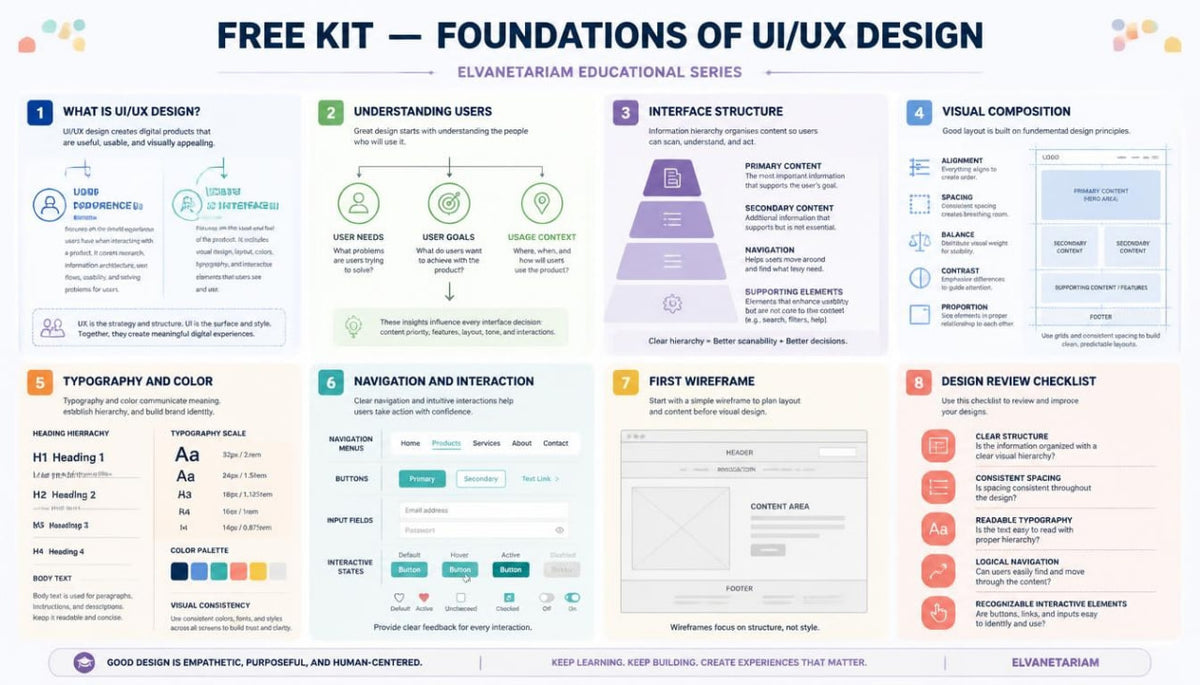
Free Kit introduces the foundations of UI/UX design through a structured approach, beginning with user roles and interface purposes. The materials gradually explore information hierarchy, composition, visual consistency, and basic interaction states. Small practical exercises help reinforce the covered principles through example analysis and the creation of simple layouts.
3. What's Inside
- Module 1: Introduction to UI/UX Design
- Module 2: Understanding Users and Their Needs
- Module 3: Interface Structure and Information Hierarchy
- Module 4: Layout, Spacing and Visual Balance
- Module 5: Typography, Color and Visual Consistency
- Module 6: Navigation and Interaction Fundamentals
- Module 7: Introduction to Wireframing
- Module 8: First Interface Review and Design Practice
4. Who Is This For?
A good fit if you:
✅ Are beginning your studies in UI/UX design.
✅ Want to understand the differences between UI and UX.
✅ Want to explore the principles behind digital interface structure.
✅ Want to learn how to organize interface elements according to their purpose.
✅ Are interested in composition, typography, colors, and navigation.
✅ Are looking for structured introductory materials with practical examples.
This course may not fit if you:
❌ Already work with complex design systems and are looking for in-depth architectural subjects.
❌ Expect detailed studies of large-scale research projects.
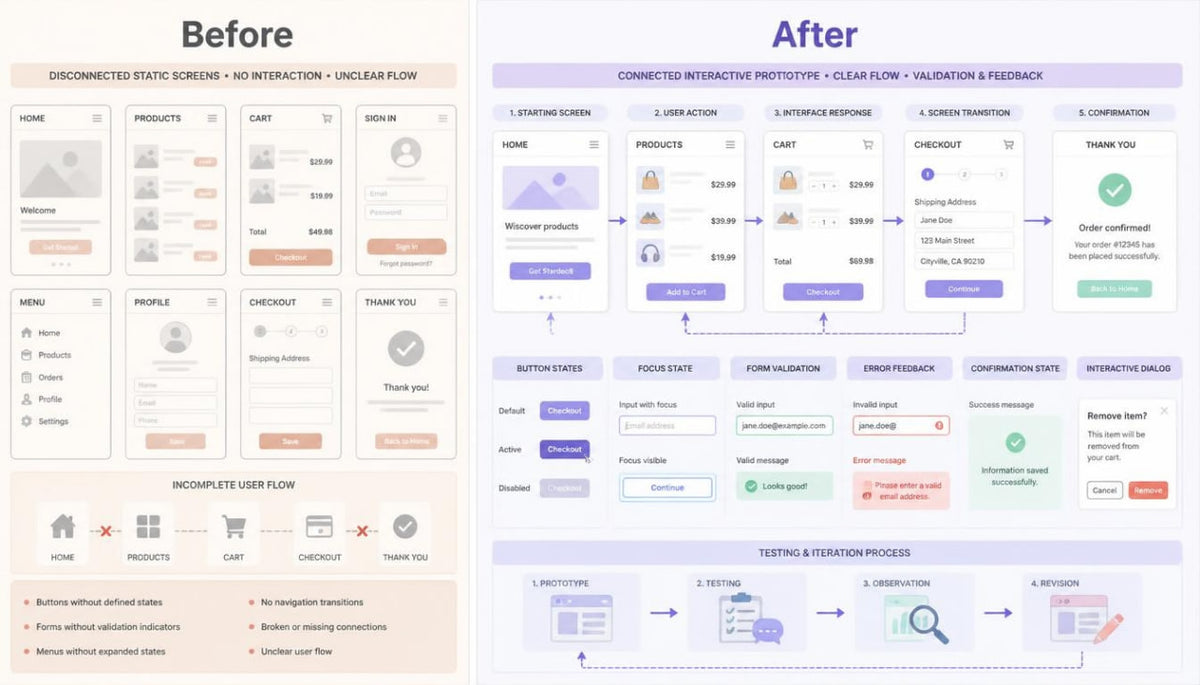
❌ Are looking for specialized materials on complex prototyping and advanced interaction scenarios.
❌ Want to focus exclusively on a narrow subject without studying foundational principles.
5. What You'll Learn
After studying Free Kit, you will be able to:
- Distinguish between the main responsibilities of UI and UX design.
- Understand the role of user needs in interface development.
- Identify information hierarchy within a page.
- Arrange interface elements according to their function and importance.
- Understand visual balance, contrast, and alignment principles.
- Work with foundational typography and color composition rules.
- Recognize the primary states of interactive elements.
- Create simple wireframe layouts.
- Review interface structures and identify areas for refinement.
6. Refund Information
Free Kit is provided at no charge, so refunds do not apply to this course.
For paid courses, refund conditions are governed by the store's published Refund Policy. We recommend reviewing the applicable terms before placing an order.
Couldn't load pickup availability
Which subjects are covered in the courses?
Which subjects are covered in the courses?
The curriculum covers user research, information architecture, visual composition, typography, prototyping, interactive elements, and design system development.
What is included in each course?
What is included in each course?
Each course has its own module structure and learning materials. A detailed outline of topics, practical exercises, and included resources is provided in the description of each course tier.
Where can I review payment and refund terms?
Where can I review payment and refund terms?
Information about order placement, digital materials delivery, and refunds is provided in the relevant store policies. We recommend reviewing these documents before placing an order.
Share